

Table of Contents
- Best Printer for Holographic Sticker Paper: What Actually Matters
- Inkjet vs Laser for Sticker Printing: The Honest Trade-Off
- Holographic Sticker Paper Settings That Stop Smudging
- Best Printer for Vinyl Stickers UK: What to Look For
- Matching Your Printer to Holographicvinyl Stock
- Common Mistakes When Printing on Holographic Stock
- Frequently Asked Questions
Last Updated: 4 October 2026
Best Printer for Holographic Sticker Paper: What Actually Matters
The best printer for holographic sticker paper review comes down to one thing: whether your machine can lay ink onto a non-porous, rainbow-shifting surface without smudging, curling or flaking. At Holographicvinyl, we supply printable holographic vinyl to sign shops and sticker makers across Leeds and the wider UK, and the same question comes up again and again: which printer actually handles this stock?
Here is the short answer. A pigment-based inkjet printer with a straight or rear paper feed will beat almost any laser for this job. Laser toner sits on the surface and gets rubbed off by heat and handling. Inkjet, especially pigment ink, bonds more predictably to coated holographic stock.
Most people buy the wrong machine first. They see a cheap laser on offer, assume "faster equals better", and then wonder why every sticker curls at the edges. The printer choice decides the finish long before your design does.
Below, we break down the trade-offs, the settings that stop smudging, and how to match a printer to the holographic stock you actually sell. The 5 areas we cover will save you wasting a full roll on trial and error.
Inkjet vs Laser for Sticker Printing: The Honest Trade-Off
For sticker printing, inkjet wins on finish and laser wins on speed, but only one of those matters when you're printing onto holographic film.
Inkjet printers use liquid ink that soaks into a receptive coating. On holographic stock, that coating is what holds your design in place. Pigment inks resist fading better than dye inks, which matters if your stickers sit in a shop window (pubmed.ncbi.nlm.nih.gov).
Laser printers fuse toner with heat. That heat is the problem.
| Factor | Inkjet (pigment) | Laser |
|---|---|---|
| Finish on holographic stock | Clean, vivid, holds detail | Patchy, toner can flake |
| Heat exposure | None | High fusing temperature |
| Curl risk | Low with correct feed | High on thin film |
| Speed | Slower per sheet | Faster per sheet |
| Best for | Stickers, small runs, detail | Plain paper documents |
The table tells the story. If your work is holographic stickers, inkjet is the sensible default.
Heat, Curl and the Laser Problem
Laser fusing temperatures are high enough to warp thin vinyl as it passes through the rollers. The sheet curls, the toner doesn't fully adhere, and you get a dull, mottled finish instead of the sharp rainbow shift the stock is designed to show.
Some heavier laser-compatible films cope better, but you're fighting the machine rather than working with it. For a business selling premium stickers, that's wasted stock and wasted time.
Holographic Sticker Paper Settings That Stop Smudging
The right settings matter more than the brand of printer. On most inkjets, you want a photo or speciality media profile, a slower print speed, and the highest quality setting your machine offers.
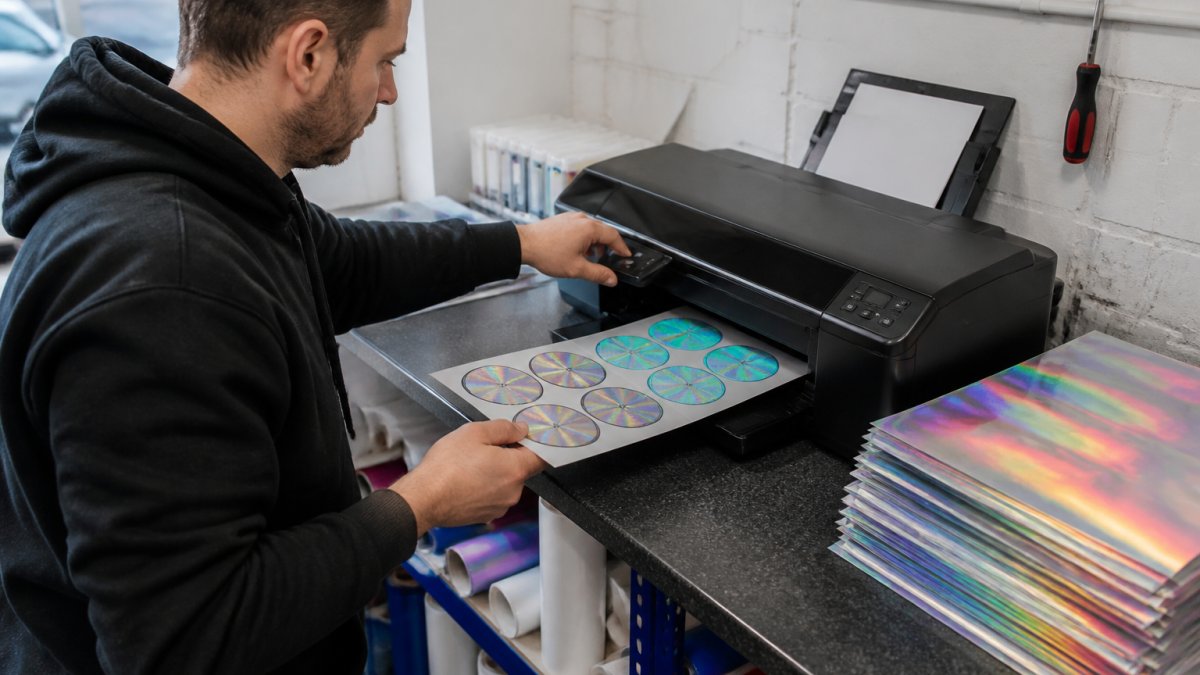
Start here:
- Select "photo paper" or "glossy" media type, not plain paper
- Drop to the highest quality print mode
- Set the feed to single-sheet or rear tray, not the main cassette
- Print a test strip before running a full sheet
The single biggest cause of smudging is printing too fast on a media profile meant for absorbent paper. The ink pools on the surface because it has nowhere to go.
Ink Coverage and Drying Time
Heavy ink coverage on non-porous film needs time to cure. Leave printed sheets flat for a few minutes before you handle them, and avoid stacking wet prints.
A common mistake is touching the print straight off the tray to check the colour shift. Give it a moment. The finish settles, and you'll get a truer read of the rainbow effect.
Best Printer for Vinyl Stickers UK: What to Look For
When you're shopping for the best printer for vinyl stickers UK buyers can actually rely on, ignore the headline print speed and check four things instead.
Look for a pigment ink system, a straight or rear paper path, support for single-sheet speciality media, and a driver that lets you set custom media profiles. A machine that ticks all four will handle holographic stock far better than a faster printer that ticks none.
Compatibility matters too. Our printable holographic vinyl is built to work with solvent, eco-solvent and UV inks for wide-format printing, and it's suitable for all brands of vinyl cutter. If you're running a wide-format setup, check your ink type against the stock before you buy a roll.
For anyone testing finishes before committing, our Holographic sample pack at £4.95 lets you see the rainbow shift in your own light and run it through your own machine first.

Matching Your Printer to Holographicvinyl Stock
Different finishes suit different jobs, and your printer settings should shift with them. Here's how we'd match the range.
The Plain Holographic 4Mil 100μ gives a smooth rainbow shift and is the easiest to print on because there's no texture interrupting the ink. It's our starting recommendation for anyone new to printable holographic stock.

For packaging and retail merchandise where you want more visual punch, Glitter Holographic 4Mil 100μ, Smashed Glass Holographic 4Mil 100μ and Prismatic Holographic 4Mil 100μ each add a distinct pattern. Textured finishes can show slightly softer print detail, so keep fine text large enough to stay legible.
All four hold up to 3 years exterior, cut and weed cleanly, and take transfer tape well. If you're local and want to collect or discuss a job, we're a Leeds-based supplier and happy to talk through stock choices for your equipment.
Common Mistakes When Printing on Holographic Stock
The same errors come up repeatedly, and each one wastes expensive film.
- Using a plain paper profile. The ink has nowhere to bond and smears on contact.
- Feeding through the main cassette. The tighter path increases curl on thin film.
- Stacking wet prints. Wet sheets fuse together and ruin the finish.
- Skipping the test swatch. A full roll is an expensive way to learn your settings are wrong.
- Expecting laser-grade speed. Quality on holographic stock is a slower process by nature.
Frequently Asked Questions
Can standard inkjet printers print on holographic sticker paper?
Most standard inkjet printers can print on holographic sticker paper, but only if the paper is coated to accept ink. Uncoated holographic sheets will repel wet ink and cause pooling. Check that your printer handles the sheet thickness, usually around 100 microns, and set the media type to glossy photo paper or a comparable coated stock. Running a single test sheet first saves wasting a full pack.
Do I need a laser or inkjet printer for holographic vinyl stickers?
Inkjet is generally the safer choice for holographic vinyl stickers. Laser printers fuse toner with heat, and that heat can curl or warp thin holographic sheets, sometimes damaging the printer. If you already run a laser, check the manufacturer's supported media weight before feeding holographic stock through it. For most UK sticker businesses, a pigment inkjet gives better control and lower risk.
How do I prevent smudging when printing on holographic paper?
Set your printer to its highest quality photo mode and reduce ink saturation where possible, since heavy ink sits on the surface rather than soaking in. Allow prints to dry flat for at least 15 minutes before handling or cutting. If smudging continues, the paper's coating is likely incompatible with your ink type, so test a sample swatch before committing to a full run.
Are there specific printer settings for holographic sticker sheets?
Yes. Use the glossy or photo paper media setting, select the highest print quality available, and set the paper type to match the sheet thickness. Turn off any automatic duplex or fast-draft modes. Slower print speeds give the ink more time to settle, which matters more on holographic stock than on plain paper because the coating limits absorption.
What is the best printer for small sticker businesses in the UK?
A pigment-based inkjet with a straight paper path and adjustable media thickness handles holographic sticker paper best for small UK operations. Look for models that accept sheets up to around 100 microns and offer photo-quality print modes. Before buying, test your chosen holographic stock on the printer. Holographicvinyl's sample pack at £4.95 lets you check compatibility with your machine before ordering a full roll.
Holographic printing rewards patience over speed, and the right stock makes the difference between a clean result and a wasted roll. If you're searching for reliable holographic vinyl near me, Holographicvinyl supplies premium finishes with free UK delivery, same-day dispatch, and samples so you can test before you commit. Our team is available by phone and email to help you match stock to your printer. Get started with Holographicvinyl and print stickers that hold their colour and their shine.